

It’s often said that the overall iOS experience is superior to Android. This is partly due to third-party software quality (iOS versions are often more polished) and partly due to Apple’s tight control over its ecosystem. To get on the App Store, you must pass rigorous reviews.
Today, we’ll discuss a major differentiator between iOS and Android: the StartingWindow (colloquially, the Splash Screen). While both systems have them, their implementations vary wildly. iOS requires a StartingWindow—usually a static image—that displays immediately upon an icon tap with zero delay. Android, being open, allows developers to customize, disable, or even make the StartingWindow transparent.
How StartingWindow Affects User Experience
Because the StartingWindow is the first thing a user sees, its misuse can lead to a terrible first impression. Let’s look at three scenarios:
- Default StartingWindow: User taps the icon -> system immediately shows the default window (the one with the launch animation) -> app frame renders -> window disappears. This is seamless and provides immediate feedback. Most system apps and well-behaved apps like Jike (即刻) or Autohome (汽车之家) use this.
- Custom Simple StartingWindow: User taps icon -> system shows a custom StartingWindow (e.g., brand logo) -> app frame renders -> custom window disappears. Since it’s custom, there’s a tiny overhead for decoding the bitmap or inflating the layout, but the experience is still top-tier. Examples: Taobao, JD, Weibo, Jinri Toutiao, Meituan.
- Disabled or Transparent StartingWindow: User taps icon -> nothing happens (except maybe the icon’s touch state changing) -> 1 to N seconds pass -> main UI suddenly pops in. This is “cancerous” behavior. Examples: Wechat, Wechat Read, UC Browser, Alipay, ICBC, Mi Home.
I strongly urge developers using the third approach to reconsider. It makes the system feel sluggish, leading users to blame the OS rather than the app. WeChat gets away with it because it’s a “super-app” that OEMs rarely kill, but if you force-stop it and try to relaunch, the delay is jarring.
Case Study: Zhihu’s UX Data
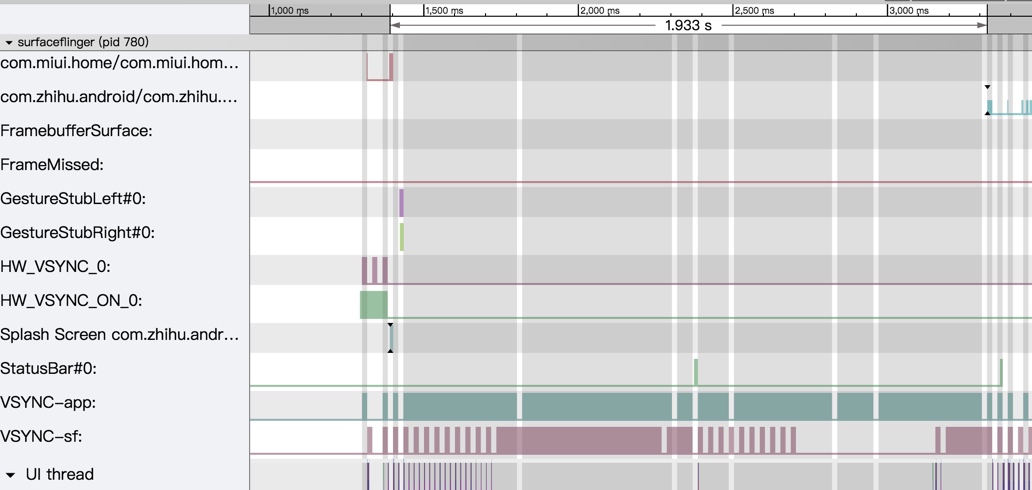
As a heavy Zhihu user, I’ve been frustrated by its deteriorating launch experience. Recently (v5.17.2), Zhihu uses the first approach (default window), but its startup is so slow that the user is stuck staring at a white screen for a significant amount of time.
Let’s look at the data from a Xiaomi Mix 2S (Snapdragon 845):
StartingWindow (White Screen) to First Frame (SurfaceFlinger view):
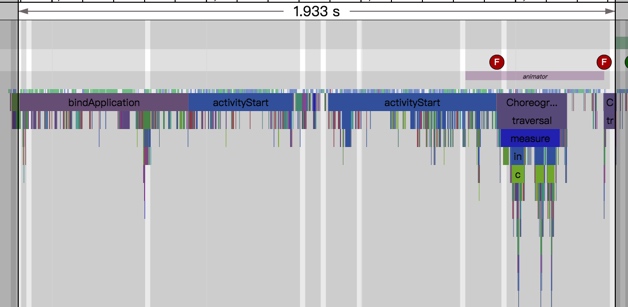
App Process View:
Log Perspective (
am_activity_launch_time):
The system logs a launch time of 2684ms on a high-end device.
1 | // ... logs showing LauncherActivity starting, then pausing, then MainActivity starting ... |
For nearly 1.9 seconds, the user sees nothing but a blank white screen. This is followed by a 3-second mandatory ad page before the main UI even appears. On low-end devices, this experience is exponentially worse.
The Visual Journey
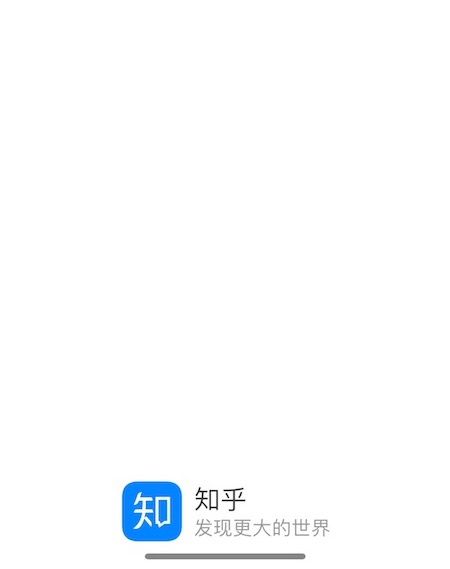
The user’s perspective on a Pro 7:
Icon Tap -> Blank White StartingWindow (2s)

White Screen -> Ad Page (3s)

Ad Page -> Main UI

I recommend Zhihu adopt a custom brand-themed StartingWindow like their iOS version does. It bridges the experience gap and feels far more premium than a system-default white screen.
Parting Thoughts
Android’s user experience depends heavily on third-party developers. While OEMs can optimize the hardware and OS, the moment a user enters an app, the developer is in the driver’s seat.
The StartingWindow is a small detail, but it’s the gateway to your app. If the gateway is broken or ugly, why would a user want to return? “Speed defines the winner” isn’t just a martial arts quote—it’s the core of performance optimization. When apps are optimized, the entire ecosystem shines.
The Hall of Shame (Apps using disabled/transparent StartingWindows):
- WeChat Read
- UC Browser
- Alipay
- ICBC
- Mi Home
- … (Feel free to suggest more)
About Me && Blog
Below is my personal intro and related links. I look forward to exchanging ideas with fellow professionals. “When three walk together, one can always be my teacher!”
- Blogger Intro
- Blog Content Navigation: A guide for my blog content.
- Curated Excellent Blog Articles - Android Performance Optimization Must-Knows
- Android Performance Optimization Knowledge Planet
One walks faster alone, but a group walks further together.
